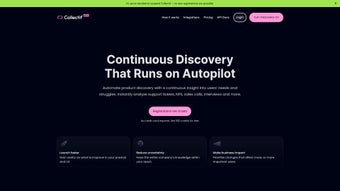

Download Collectif – AI‑Powered User Research Software for SaaS Teams
In the ultra‑competitive SaaS market, the ability to listen to customers, extract meaning, and act on it quickly separates fast‑growing unicorns from stagnant players. Collectif is built around that premise: an AI‑driven research platform that turns every piece of customer interaction—support tickets, sales calls, live‑chat transcripts, survey responses, and product‑usage logs—into a searchable, insight‑rich knowledge base. By automatically transcribing spoken content, tagging sentiment, clustering topics, and summarising the most important take‑aways, Collectif eliminates the manual grunt work that has traditionally made qualitative research costly and slow.
The result is a single, secure dashboard where product managers, growth hackers, and CX leaders can ask natural‑language questions and receive evidence‑backed answers in seconds. Whether you are a fledgling startup validating a new feature set or an established enterprise fighting churn, Collectif provides a scalable, up‑to‑date foundation that keeps the customer voice at the heart of every decision. Its cloud‑native architecture, end‑to‑end encryption, and GDPR‑ready controls ensure that your data remains protected while you unlock the strategic value hidden in everyday conversations.
Core Features that Drive Faster Decision‑Making
- AI‑Generated Transcripts: Real‑time, searchable transcripts of calls, chats, and voice notes with speaker identification, allowing teams to locate specific moments in seconds.
- Sentiment & Topic Labelling: Automatic classification of emotions and discussion themes across all data sources, giving you a pulse on customer happiness.
- Dynamic Summaries: One‑click executive briefs that highlight the most critical insights without the need to read every line of raw data.
- Evidence‑Based Answers: Natural‑language query interface that returns answers supported by exact excerpts and timestamps, ensuring transparency.
- Unified Dashboard: A single view that merges support tickets, CRM notes, survey results, and product‑usage metrics for holistic analysis.
- Customisable Filters: Drill‑down by date range, product version, customer segment, or any custom tag you create, enabling precise cohort analysis.
- Secure Collaboration: Role‑based access, end‑to‑end encryption, and immutable audit logs that satisfy GDPR, CCPA, and SOC 2 requirements.
- Integrations & APIs: Native connectors for Zendesk, Intercom, Salesforce, HubSpot, plus a robust REST API for bespoke workflows.
- Continuous Learning: The AI model adapts over time, learning industry‑specific terminology and evolving customer language for higher accuracy.
- Export & Reporting: Direct export to CSV, PDF, or BI tools like PowerBI and Tableau for deeper downstream analysis.
Installation, Setup, and Daily Workflow
Collectif is deliberately built to minimise friction for both technical and non‑technical users. After you download the web‑based installer, a three‑step wizard walks you through creating an admin account, linking existing SaaS tools, and selecting the data sources you want to ingest. Because the heavy lifting—AI processing, storage, and security—happens in the cloud, you only need a modern browser (Chrome, Edge, or Firefox) on any operating system to access the full feature set.
Once connected, Collectif automatically pulls in historical data and begins real‑time ingestion of new interactions. The Insight Explorer becomes the daily command centre: type a question such as “What are the top three pain points reported by churned users in Q2?” and receive a concise answer with linked source excerpts. Most teams adopt a 15‑minute “Insight Sprint” each morning to review newly generated summaries, tag emerging topics, and sync findings with product backlogs.
Administration is equally straightforward. The Settings tab lets you configure data‑retention policies, enable single‑sign‑on (SSO) via SAML or OAuth, and schedule automated email digests that deliver weekly insight highlights to stakeholders. For organisations that require on‑premise deployment, a Docker‑based image is available, allowing you to run the platform behind your firewall while preserving the full AI feature set. Periodically run a “Model Refresh” to improve the AI’s understanding of new product terminology or market jargon. Overall, the workflow—from initial installation to daily research cycles—requires minimal IT overhead while delivering maximum research velocity.
Compatibility, Pros & Cons, and Frequently Asked Questions
Compatibility
Collectif is a cloud‑native solution, accessible from any modern browser on Windows 10+, macOS 11+, Linux (via Chrome/Firefox), as well as iOS and Android devices through its responsive web interface. For organisations with strict on‑premise policies, a Docker‑based deployment is also available, supporting private‑cloud environments while preserving the full AI feature set.
Pros & Cons
- Pros
- AI automation eliminates hours of manual transcription and tagging.
- All‑in‑one dashboard reduces data silos across support, sales, and product teams.
- Scalable cloud architecture supports fast‑growing SaaS companies.
- Robust security with end‑to‑end encryption and GDPR compliance.
- Extensive integrations streamline data ingestion from existing tools.
- Responsive web app works on desktop and mobile without additional installs.
- Continuous learning improves accuracy as your product evolves.
- Cons
- Initial AI model training may require a modest amount of historical data.
- Pricing tiers can be higher for enterprises needing unlimited data storage.
- Advanced customisation of AI behaviour requires some technical expertise.
- Large batch uploads may experience a short processing delay (up to an hour).
- On‑premise Docker deployment adds complexity for teams without container experience.
Frequently Asked Questions
Is Collectif suitable for small startups?
Absolutely. Collectif offers a free tier that includes basic transcription and sentiment analysis, making it ideal for early‑stage teams that need insight without a large budget.
How does Collectif handle data privacy?
All data is encrypted at rest and in transit. The platform complies with GDPR, CCPA, and SOC 2 standards, and you can host the solution in a private VPC if required.
Can I integrate Collectif with my existing CRM?
Yes. Native connectors are available for Salesforce, HubSpot, and Zoho CRM, plus a REST API for custom integrations.
What kind of support does Collectif provide?
Collectif offers 24/7 chat support, a dedicated customer success manager for enterprise plans, and an extensive knowledge base with tutorials and best‑practice guides.
How quickly does the AI generate insights after data is uploaded?
Most transcripts and sentiment labels are processed within minutes. Larger data sets may take up to an hour, but you receive a notification as soon as the analysis is complete.
Conclusion – Take the Next Step with Collectif
For SaaS businesses that rely on deep customer understanding to drive product innovation and growth, Collectif offers a secure, AI‑enhanced research engine that turns scattered interactions into a single source of truth. Its intuitive dashboard, powerful automation, and seamless integrations empower teams to move from hypothesis to data‑backed decision in minutes rather than days. The platform’s scalability means it grows with you—from a modest startup budget to an enterprise‑wide deployment—while maintaining the same level of insight fidelity. If you’re ready to cut through the noise, reduce churn, and build products that truly resonate, download Collectif today and start unlocking the hidden insights within your own customer conversations.



.png)



